Twitch Prime members can grab a no-cost copy of the LucasArts classic.
Given its love of purple, you might think Twitch would be on the side of the evil tentacles. Not so, though—for a limited time you can grabDay of the Tentacle Remastered for free, provided you’re a Twitch Prime (read: Amazon Prime) member.
It’s the latest in a string of freebies from Twitch. The past few months have seen promotions for Playerunknown’s Battlegroundsand Overwatch, plus full games like Breach & Clear, Oxenfree, and Gone Home. A pretty solid track record, all things considered.
The catch, of course, is that Twitch (read: still Amazon) wants you to download and install its proprietary client on your PC, a.k.a. the Twitch Desktop App. No, they’re not just giving away Steam keys. It’s a carbon copy of EA’s tactics with Origin and the On the House program, giving away classic games as long as you’re willing to use something other than Steam.
The first hit’s free, basically.
You'll also need to be an Amazon/Twitch Prime subscriber of course. (Amazon offers a free 30-day Amazon Prime trial if you're not.) To get the game, log into your Twitch account, look for the crown symbol in the upper right corner, scroll down to the Day of the Tentacle Remastered offer, and claim it—or just go here. I highly recommend doing so, as Day of the Tentacle Remastered is pretty much everything you’d want from a remaster—modern graphics and audio with the ability to turn all that off and play the classic LucasArts version of the game. The puzzles can be a pain, but the writing is still excellent.
You’ll have to act fast though—the Day of the Tentacle offer is only good through August 9. Missed it? Don’t fret too much. At the rate Twitch is moving I expect another freebie within weeks.
The OnePlus 5 is here, bringing a Snapdragon 835 chip, dual camera system, and higher price tag. But is is worth it?
Updated 08/07/17: The OnePlus 5 is now available in gold. See the Display and Design section below for the full slate of color options.
The original flagship killer is back with, well, another flagship killer. After weeks of leaks and rumors, OnePlus has released its sixth handset, the OnePlus 5, and it has the major Android players in its sights: the LG G6, Galaxy S8, and HTC U11.
And it looks to be a formidable competitor. Packing the fastest processor around in the Snapdragon 835, up to 8GB of RAM, a 3,300mAh battery, and dual cameras, the OnePlus 5 fills out the spec sheet for less. Here’s everything you need to know, including our full review of the OnePlus 5.
Operating system: OxygenOS based on Android 7.1.1 Nougat
CPU: Qualcomm Snapdragon 835 (octo-core, 10nm, up to 2.45GHz)
GPU: Adreno 540
Rear camera: 16MP, f/1.7 + 20MP f/2.6
Front camera: 16MP, f/2.0
RAM: 6GB/8GB LPDDR4X
Storage: 64GB/128GB UFS 2.1 2-LANE
Ports: USB C, dual nano-SIM slot, 3.5mm audio jack
Battery: 3,300mAh
OnePlus 5 price and release date
The OnePlus 5 was released in June 27, 2017, and is available for purchase through OnePlus’s website. The gray model with 64GB of storage and 6GB of RAM costs $479, and the black model with 128GB of storage and 8GB of RAM will set you back $539. Like OnePlus’s other handsets, the 5 won’t be available through carriers, though OnePlus is calling it a “true world phone,” with support for 34 networks across the globe.
OnePlus 5 review
The OnePlus 5 is a major improvement over the 3 and 3T, but nearly all of the changes are on the inside. That means you’re getting the same display as last year at a higher price. So while it’s still a good deal, it’s not quite the killer bargain it was last year. There’s a lot more to it, so read our review for the full details.
OnePlus 5 display and design
At 7.25mm thick, the OnePlus 5 is the thinnest phone OnePlus has made. It has moved the camera to the upper-left corner like the iPhone rather than keeping it centered, and the antenna lines remain, meaning the back is made of aluminum and not glass.
Christopher Hebert/IDG
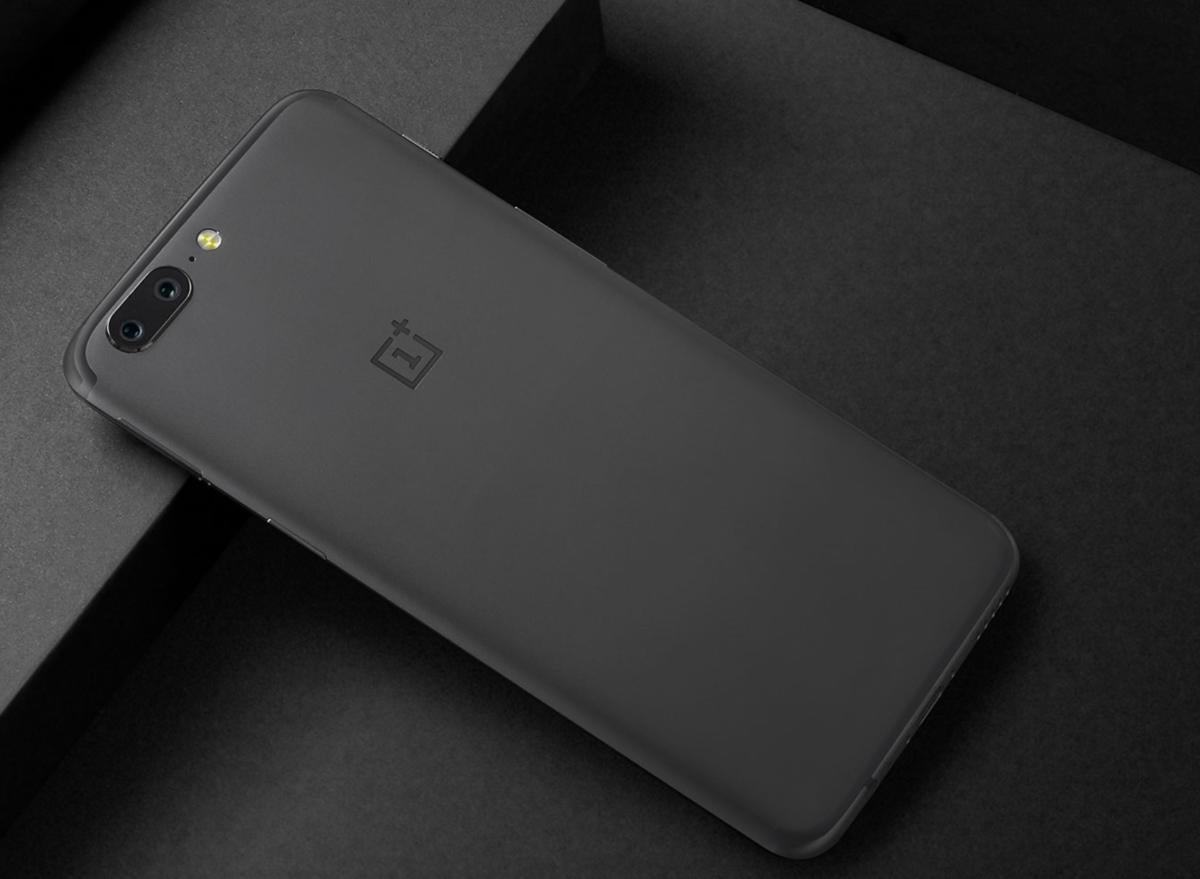
The OnePlus 5 looks a lot like the iPhone 7 Plus from the back.
Around the front, OnePlus has resisted the bezel-trimming trend. It looks almost exactly like the 3T, with the same 5.5-inch Full HD 1920x1080 resolution display and pill-shaped home button/fingerprint sensor. Thankfully, it also still has the 3.5mm headphone jack on the bottom edge of the device and an alert slider on the left side. It is available in three color options, depending on options. Both models are available in a slate gray color, but to get it in soft gold you’ll need to choose the 64GB model, while the 128GB version is available in an exclusive midnight black color.
OnePlus 5 performance and battery
OnePlus has always packed its flagship handset with the latest silicone, and the Snapdragon 835 inside the OnePlus 5 is a screamer. Elsewhere, the phone brings 6GB or 8GB of RAM, 64GB or 128GB of UFS 2.1 storage, Bluetooth 5, and a 3,300mAh battery.
While the battery is smaller than the one in last year’s 3T, it’s more than big enough to get through a full day of use. Plus, the 5 uses OnePlus’ proprietary Dash Charge system to power up quicker than its competitors. However, since the OnePlus 5 has an aluminum back, it doesn’t support wireless charging like the S8 and G6.
OnePlus 5 camera
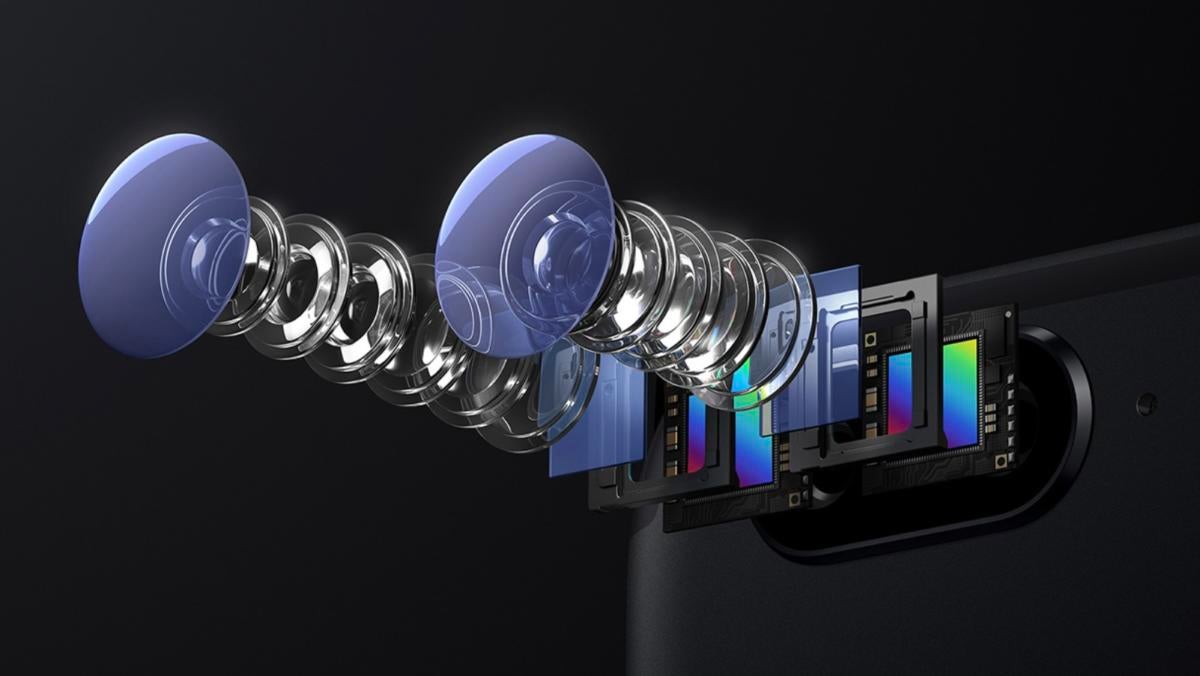
OnePlus has hyped the heck out of the camera in the OnePlus 5. It ditches the older version’s single shooter in favor of a dual-camera system, pairing a custom Sony IMX398 16MP sensor with a large f/1.7 aperture with a 20MP telephoto one. Around the front you get a 16MP lens with f/2.0 aperture.
OnePlus
The OnePlus 5 features dual 16MP and 20MP sensors.
The system brings Fast AF and Smart Capture that will let you take shots instantaneously while filtering out noise and inconsistencies in low-light situations, as well as improved HDR and a portrait mode that simulates a depth of field. It also features 1.6x optical zoom (up to 8x when combined with the digital zoom) and a pro mode that includes a tiny histogram so you can fine-tune the pixels. Notably neither lens features optical image stabilization.
IDG
In bright sunlight the OnePlus 5 (left) focused quickly, but the images were a bit too cool. The LG G6 (center) went in the other direction, and the Pixel (right) was spot on.
In our review it didn’t stack up against the G6 and the Pixel, but stay tuned for our camera shootout to see if it can unseat our current champion, the LG G6.
OnePlus 5 OS
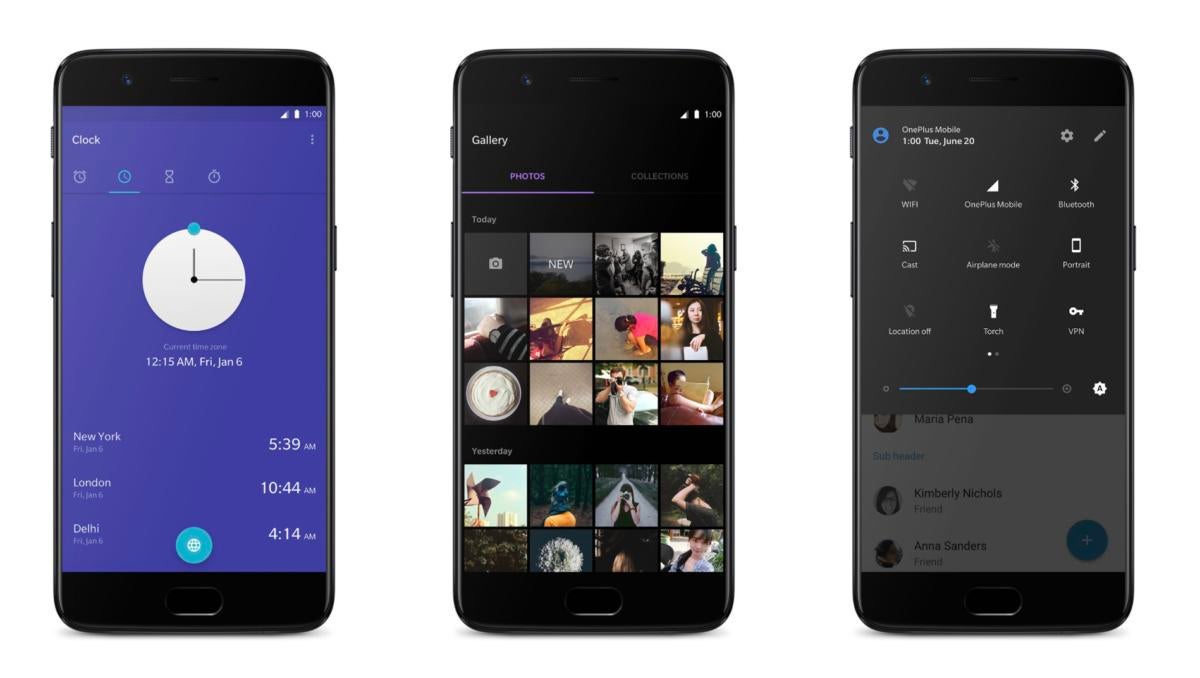
The OnePlus 5 runs OxygenOS based on Android 7.1.1 Nougat. Previous iterations haven’t strayed too far from stock Android, and the OnePlus 5’s version is no different. But there are some new features.
OxygenOS doesn’t mess with Android too much, but there are some changes.
As you use it, it will learn your habits and prioritize your apps accordingly on a new quick-launch area of the Shelf. A Do Not Disturb mode just for gaming will block notifications and disable the soft buttons for an uninterrupted experience. Secure Box lets you lock up documents, photos, and videos behind a fingerprint- or pin-protected folder. And a new Reading Mode will optimize the display in apps like Amazon’s Kindle reader to make words easier on your eyes.
FAQ
What happened to the OnePlus 4?
There’s a reason OnePlus has jumped from the 3T to the 5. In Chinese culture, the number four is considered unlucky, like the number 13 in the U.S. This is due to the Chinese phonetic pronunciation of the number four being like the word for death and suffering. Many elevators in China skip the fourth floor, much like U.S. hotels often jump from floor 12 to 14.
What’s in the box?
You get a Dash charger and a cable, along with a SIM ejector tool. That’s it. OnePlus still doesn’t include a free set of earbuds, though you can buy a pair from the OnePlus site for $20.
Are there any cases available?
Yes! Just like its previous phones, OnePlus is selling a series of case available in faux wood, carbon fiber, and sandstone. Additionally, there’s a flip cover and an official Otterbox case in black or red.
Can I bring an SD card?
Sadly, no. While there are two nano SIM slots in the SIM tray, the OnePlus 5 doesn’t support SD cards for storage. So you might want to splurge on the bigger model if space is a concern.
How does Dash Charge work?
OnePlus supplies a proprietary cable and a plug that is needed for Dash Charging. But since the OnePlus 5 doesn’t support the Quick Charge standard on the S8 and LG G6, if you don’t use the supplied cable and plug, the phone will charge as normal.
I’m a Verizon customer. Will it work for me?
Nope. While the OnePlus 5 supports more bands than ever, Verizon’s isn’t one of them. And neither is Sprint’s. So unless you want to switch to AT&T or T-Mobile, you’re out of luck.
Is it true that calling 911 will cause the phone to reboot?
There were a few reports on Reddit that OnePlus 5 users who dialed 911 in the U.S. or 999 in the UK, and had their phones reboot rather than place a call to emergency services. It doesn’t seem to have been a widespread problem, and OnePlus acted quickly to pinpoint the bug. In a statement, the company said, “We have been in touch with the customer and have tested a software update that has resolved the issue. We will be rolling out the software update shortly. We will be rolling out the software update shortly.” Users have reported the update is already hitting their phone. If you have a phone that is affected by the issue, you can contact OnePlus support at support@oneplus.net or (858) 609-6590 for more information.
The question of "which is the better processor" is a very interesting one.
Intel released the final details of its Core i9microprocessors Monday morning, and the data is in: AMD’s high-end Threadripper processors will be faster—except when you really need it.
Remember that Intel’s Core X-series family (also called the Core i9) was announced with several key omissions: namely the clock speeds of the 12-core Core i9-7920X and above, as well as the thermal design power, or TDP. On Monday, Intel filled those in. The 12-core Core i9-7920X launches Aug. 28 while the 14-, 16-, and 18-core Core i9 chips ship on Sept. 25.
Perhaps most important, though, is that we now know how fast Intel’s Core i9s will run. When Intel inadvertently revealed that its 12-core Core i9-7920X was 2.9-GHz—slower than the comparable AMD Threadripper—a subset of the Internet had a small freakout. We now know that that will be true for the remaining Core i9s as well, but with a big caveat.
Note that the boost speeds refer to both Intel’s Turbo Boost Technology 2.0 and 3.0. (The latter is also referred to as Intel Turbo Boost Max Technology 3.0). In this case, the boost numbers refer to the fastest dual-core frequency that can be achieved. If you’re going to be buying one of these chips, however, it’s likely you’ll be trying to achieve maximum performance.
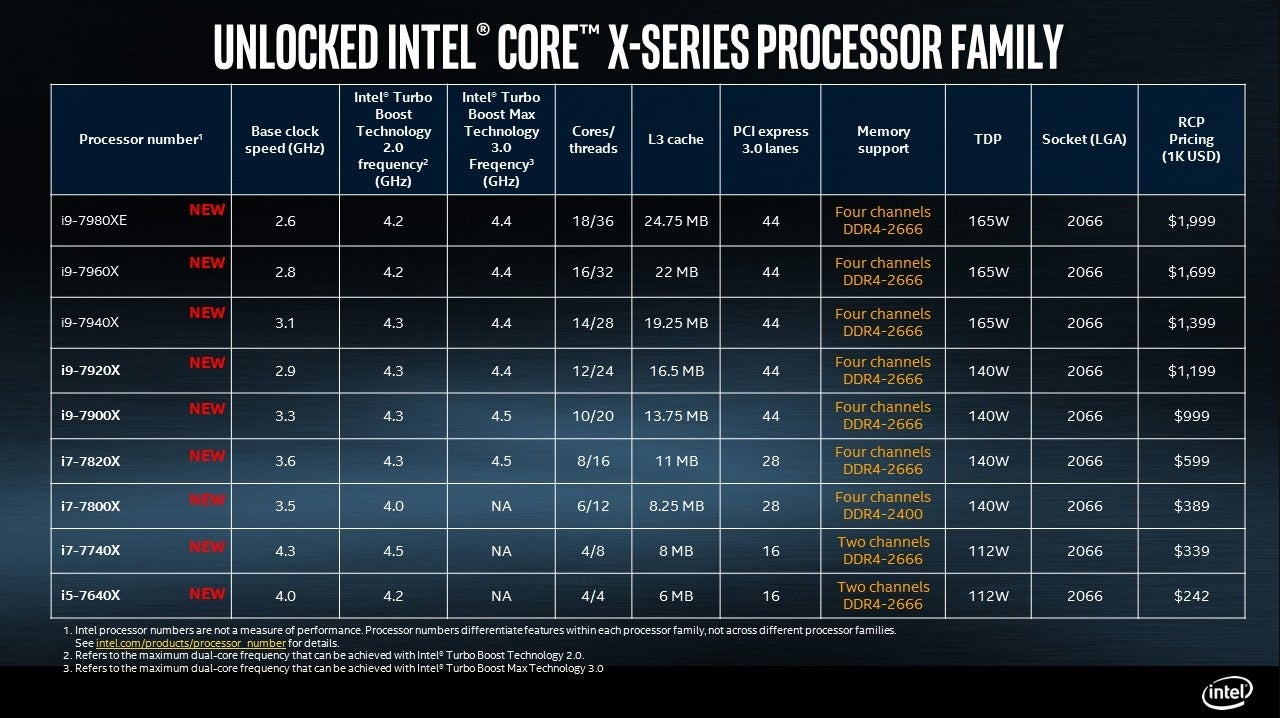
Finally, here’s the complete matrix of Intel’s Core i9 processor family:
Intel
Essentially, both Intel and AMD can claim the title of fastest processor. As our quick comparison chart reveals below, Threadripper’s base clock speeds are faster, but Intel’s boost speeds climb higher than Threadripper can. It’s also important to note that while Threadripper consumes 180 watts, even the fastest Core i9 chips Intel has announced have a lower TDP of 165 watts.
IDG
What’s also important, however, is that Intel has left its pricing completely unchanged—still giving a massive advantage to AMD. Does Intel believe that the Core i9 will outperform Threadripper, justifying its higher price? It certainly appears so.
Why this matters: Now that we’ve seen the final clock speeds from Intel, we know that, on paper, Intel’s Core i9 will be faster in applications with minimal threads, such as traditional gaming. The Core i9 will also consume less power. But AMD still has an enormous pricing advantage in terms of sheer cores, and it’s likely that Threadripper will catch up under multithreaded loads. Still, what we have here is true competition, and there’s enough here to make the question of which processor is “better” a truly interesting one.
Amazon is currently selling Anker's portable bluetooth speaker at one of its lowest prices ever.
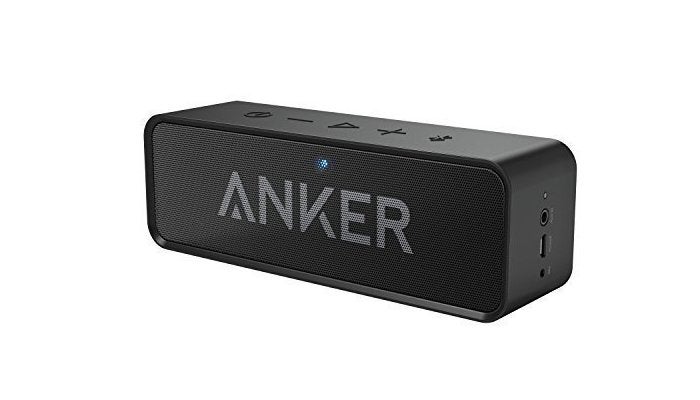
In case you missed it during the lead up to summer, Amazon is offering the Anker SoundCore bluetooth speaker on sale again—and this time it’s even cheaper. Right now, theSoundCore is available for $27with the coupon code UVQH8VHF, or two dollars cheaper than when we last saw it on sale in May. That’s a great price for this speaker, as it matches the same all-time low that we first saw last fall.
The first-generation SoundCore features two 3-watt speakers and a built-in microphone for hands-free calling, and it supports Bluetooth 4.0 and an auxiliary line-in connection. It has reception range of 66 feet, and its 4,400mAh battery is supposed to provide a playtime of about 500 songs per charge. This portable speaker is also fairly light and compact, weighing 0.78 pounds and measuring 6.5 x 1.5 x 2.1 inches.
The speaker is well-reviewed, but as we noted in May, this speaker does lack strong bass. Nevertheless, the SoundCore produces loud and clear sound, which should be just fine for a late summer campfire.
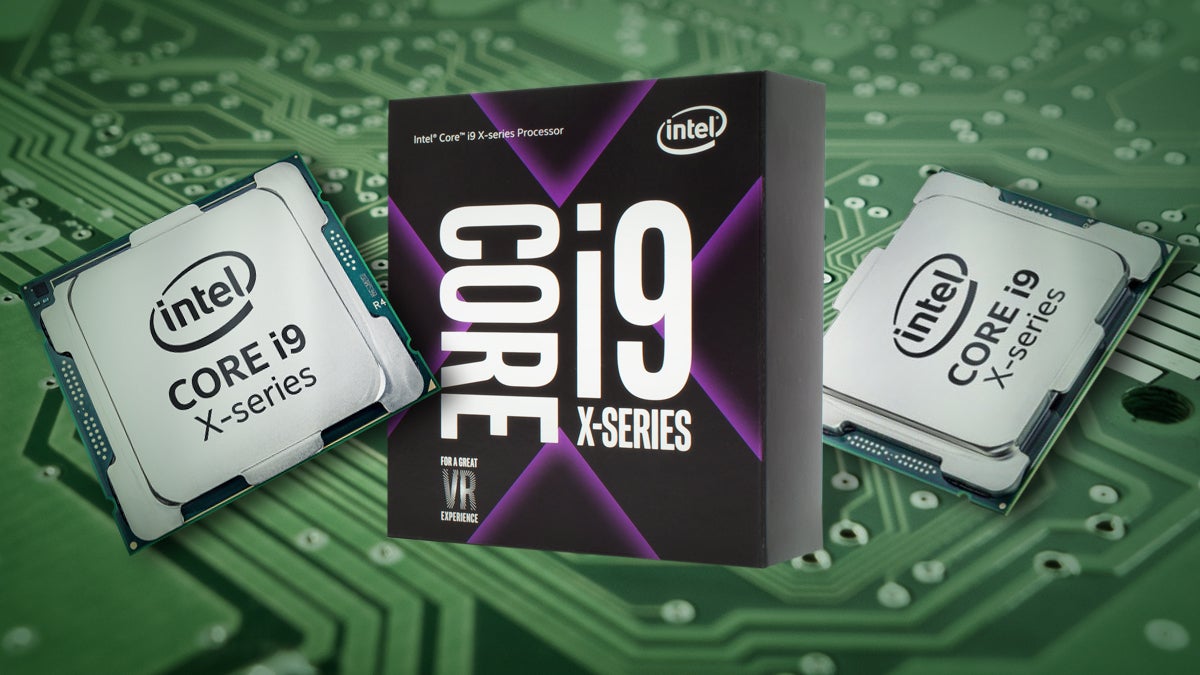
Intel's Core i9 is possibly the most powerful family of consumer PC chips ever made.
Intel’s Core i9 processor is what happens when Intel begins to worry that it might not have the baddest chip on the block. And if you’re desperate to know how it performs against AMD’s Threadripper, you’ll want to read up on the latest details on Core i9 speeds—including for the 18-core Core i9-7980XE.
Read on for the speeds, feeds, and prices of the new Core i9 chips, and all the details we have on the underlying technologies. In addition to the new Core i9 specs, we now know how the Core i9 performs as part of our review, and the price and availability of X299 motherboards. We’ll update this post with new information and testing as we receive it.
Intel
Intel’s Core family now has a new member: Core i9.
Most likely to steal some attention away from the eagerly awaited AMD Threadripper reviews due soon, Intel filled in the remaining gaps on its spec sheet in early August. The company revealed the clock speeds, TDP power estimates, and ship dates for its four most powerful Core i9 chips: the 12-core Core i9-7920X, the 14-core Core i9-7940X, the 16-core Core i9-7960X, and the 18-core Core i9-7980XE. The 12-core Core i9-7920X launches August 28, while the 14-, 16-, and 18-core Core i9 chips ship on September 25.
That’s slightly earlier than expected, as Intel had previously listed October as the ship date for the 18-core Core i9-7980XE.
Basic specs: Clock speed, core count, prices, ship date, power
The processor specs that matter most concern performance. The raw clock speed determines how fast any one thread can be acted upon, while the core and thread counts control how many threads or tasks can be calculated in parallel. The Core i9 series excels in these metrics. But you’ll pay a hefty premium for that talent.
Finally, Intel has announced all of the clock speeds of the Core i9 family. They’re all unlocked, too—ready and waiting to be overclocked. Here’s a summary of the core counts and prices of the Core i9 chips we do know, including clock speeds where available.
Here are all the speeds and feeds of Intel’s Core i9 microprocessor family.
You were able to preorder the Core i7 X-series chips and the 10-core Core i9 7900X the week of June 20. The 12-core Core i9-7920X ships August 28 while the 14-, 16-, and 18-core Core i9 chips ship on September 25.
The new chips will consume 112W or 140W (depending on the chip), requiring a liquid-cooling solution. Intel has said there will be a 165W chip, too, but waited until early August to reveal it—or them, as it turns out. Intel will have three 165-watt chips: the i9-7980XE, the i9-7960X, and the i9-7940X.
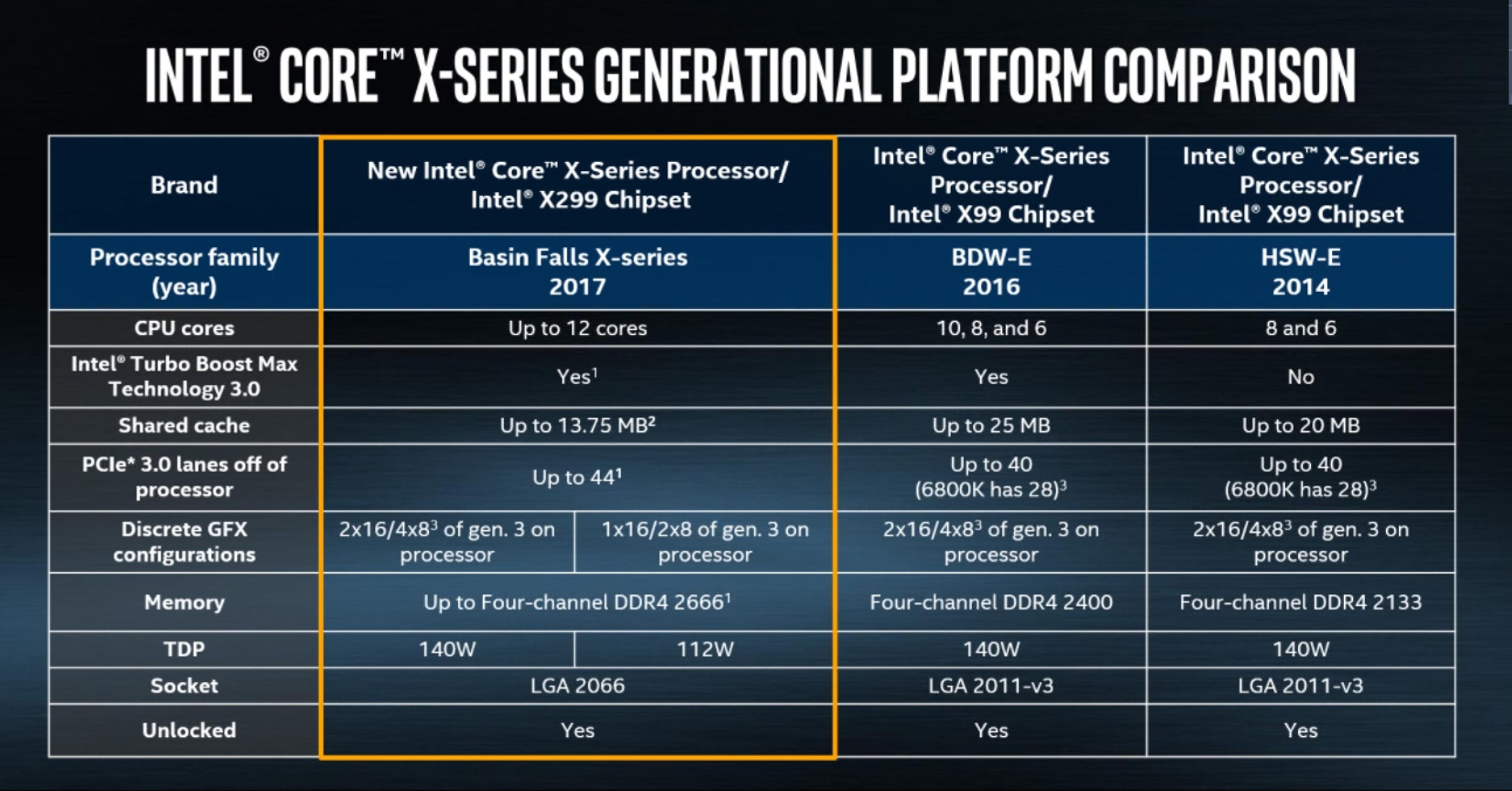
More importantly, they’ll all use a new Socket R4, a 2,066-pin LGA socket that will require a brand-new motherboard. Intel’s Core i9 family is not backward-compatible with existing Skylake or Kaby Lake motherboards.
Frequently asked questions
What is Core i9?
On May 30 at Computex, Intel formally announced the Core i9 high-end chips for PC enthusiasts. At the high end, it’s quite simple: The Core i9 family consists of what’s known as the Skylake-X architecture, with processors that include 10, 12, 14, and 16 cores.
From there, it becomes a bit complicated. For some reason, Intel decided that the 8-core and 6-core Skylake-X chips aren’t worthy enough, so they carry the Core i7 name. They share some common architectural features with the “true” Core i9 chips, though, so we’ve included them. The same goes for a second family of chips, known as Kaby Lake-X—basically the same seventh-generation CPUs you’ve seen on laptops and desktops for more than a year, but that also connect to the same X299 chipset as the Skylake-X chips do. The two Kaby Lake-X chips will be quad-core only parts.
Colloquially, you may also see these chips referred to as the Skylake-X family, the X-series of chips, or by their code name, “Basin Falls.”
When can I get Core i9?
Preorders for the Core i7 X-series chips and the 10-core Core i9 7900X began the week of June 20. The 12-core Core i9-7920X launches Aug. 28 while the 14-, 16-, and 18-core Core i9 chips ship on Sept. 25.
Who should buy Core i9?
As you might guess from the prices, these chips aren’t for everyone. You don’t remotely need 18 cores and 36 threads unless you’re doing resource-intensive multitasking, such as video or gaming.
How much will Core i9 cost?
The least-expensive Core i9 chip will be the Core i5-7640X, at $242. The Core i7 chips will range from $339 to $599. The Core i9 chips will be priced from $999 to $1699. The most expensive will be the Extreme Edition (Core i9-7980XE) for $1,999.
Where does Core i9 fit into the Intel Core family?
Core i9 is Intel’s fifth PC processor family, starting with the Core m and moving up through the traditional Core i3, i5, and i7 chips to Core i9. As the numerical sequencing suggests, Core i9 represents Intel’s most prestigious chip family, offering the best performance at the highest price.
It’s not exactly clear what makes a chip a Core i9. The lowest-end Core i9-7900X, for example, shares the same amount of cores as the previous 10-core Core i7-6950X. Still, if you are looking to buy or build today and want the fastest Intel has to offer, Core i9 is probably the easiest way to tell.
At the top of the heap sits Core i9 Extreme Edition, part of the Core i9 family, but a supercharged subset of its own. Right now, it’s just a single chip: the Core i9 Extreme Edition i9-7980XE.
Will I need a new motherboard for Core i9?
Yes. All Core i9 CPUs will use a new Socket R4, a 2,066-pin LGA socket that will require a brand-new motherboard. Intel’s Core i9 family is not backward-compatible with existing Skylake or Kaby Lake motherboards.
PCWorld’s review
Although this is only one shoe to drop, Core i9 is finally here and it’s a doozy. Faster and cheaper than Intel’s previous 10-core chip, our review of the 10-core Core i9-7900X is ready. We recommend you read it before you plunk down your hard earned cash. In short, however, this is basically Intel’s fastest consumer CPU to date.
Video coverage
The Full Nerd team discusses what the Core i9 could mean for you, especially with Threadripper also coming down the pike:
HARDWARE & ACCESSORIES
Intel Core i9 vs. AMD Threadripper | The Full Nerd Episode 24
You can get a taste of Core i9’s innovations in this video. Stay tuned for our review video after we have a chance to test the chip.
HARDWARE & ACCESSORIES
Intel unleashes the powerful teraflop Core i9 processor (1:08)
Here’s Intel’s PC chip chief, Gregory Bryant, announcing the Core i9 preorders:
GAMING
Intel demos the Core i9 and discloses launch details (1:49)
New features: Why you’ll want to buy a Core i9
In addition to just the raw performance, the Core i9 family includes something new.
In its earlier Broadwell-E chips, Intel included something called Turbo Boost Max Technology 3.0, which identified one “best core” among all of the available cores on a chip. If and when the chip needed to be boosted, that best core would be the one selected to be dynamically overclocked. The new feature within most of the Core i9 chips is what Intel calls an updated Intel Turbo Boost Max Technology 3.0, where the chip identifies not just one, but two cores as the best cores.
While the Core i9 can turn this feature on when needed, it will be used to best advantage when playing games with multiple threads, or performing simultaneous tasks like game streaming and music playback. This feature is not available in the lower-end Core i9 chips, though—only from the Core i7 7820X (8 cores, 16 threads), on up through the 7900X, 7920X, 7940X, 7960X, and 7980XE.
Intel
Here’s what differentiates Intel’s new X299 chipset from its older rivals.
Not everything new about Core i9 is found within the chip itself. The related X299 chipset provides up to 24 PCI Express 3.0 lanes vs. the 8 PCIe lanes of Broadwell-E’s X99 chipset—important if you want to power your Core i9 system with multiple graphics cards. Additional PCIe lanes for high-speed PCIe NVMe drives can also be plumbed directly into the PCIe coming from the CPU itself. On CPUs with 10 cores and up, a full 44 lanes of PCIe 3.0 lanes are available for use.
All this enables a range of options: Do you want to run four x8 graphics cards in a single Intel-powered PC? If so, you’ll want a Core i9 system.
The X299 chipset supports up to eight SATA 3.0 ports and 10 USB 3.0 ports. Finally, owning a Core i9 with an X299 motherboard means you’ll have access to Optane, Intel’s caching drive technology that can accelerate frequently used data.
Overclocking options
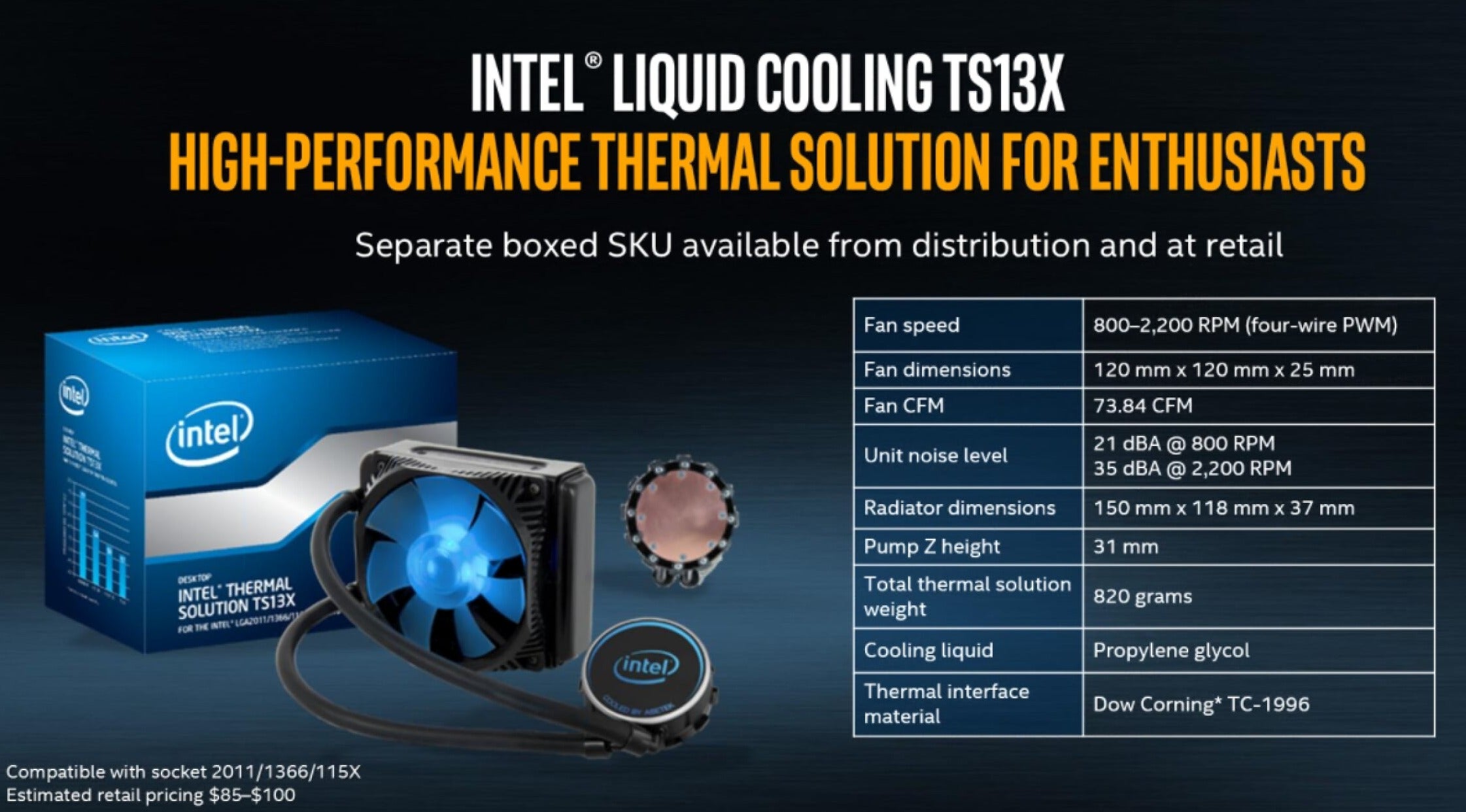
Intel’s Core i9 is tailor-made for overclocking, as the entire family comes unlocked. Intel doesn’t recommend that you cool a Core i9 chip with air alone, though, so a straight fan-based solution is out. Instead, Intel recommends its own TS13X liquid-cooling solution, which will be sold separately. You can also buy your own third-party cooling solutions, as long as it’s rated for the TS13X.
The TS13X uses a solution of propylene glycol to pump the heat to a 73.84-CFM fan that generates between 21 and 35 dBA, rotating between 800rpm and 2,200rpm. The TS13X will cost from $85 to $100.
Intel
Intel recommends liquid cooling for its Core i9 parts.
Intel will maintain support for per-core overclocking and per-core voltage adjustments, using its own Intel Extreme Tuning Utility (XTU). New controllable features for overclocking include AVX 512 ratio offsets, trim voltage control of the memory control, and PEG/DMI overclocking.
Intel will also offer what it calls its “performance tuning protection plan,” a sort of insurance policy for overclockers. It’s a one-strike policy: The company will let you fry your chip once, just once, and send you a replacement.
Intel X299 chipset: What’s included
Right now, there’s but a single chipset to accompany the Core i9: the X299. As mentioned above, the new chipset uses Socket R4, a 2,066-pin LGA socket that will require a brand-new motherboard. Intel’s Core i9 family is not backward-compatible with existing Skylake or Kaby Lake motherboards.
With the exception of the two Kaby Lake-based quad-core chips, the X299 chipset also provides the following features:
Intel’s improved Turbo Boost Max Technology 3.0, on the Core i7-7820X and above
Up to 44 lanes of PCI Express (enabling two x16 or four x8 graphics cards)
Quad-channel DDR4 2666 memory
140W support
Some of Intel’s cheaper chips can only take advantage of a subset of these, though. The Core i7-7800X (6 cores, 12 threads) and Core i7-7820X (8 cores, 16 threads) rest on an intermediary rung where only 28 PCIe lanes total are available.
For the two quad-core Kaby Lake based chips (the Core i5-7640X and Core i7-7740X) , the X299 provides a slightly different feature set:
No Turbo Boost Max Technology 3.0
16 PCI Express lanes (for one x16 or two x8 cards)
Two-channel DDR4 2666
112W support
All of the various X299 chipset implementations support up to eight SATA 3.0 ports and 10 USB 3.0 ports.
There are two other under-the-hood improvements. By moving to Intel’s latest DMI 3.0 interface between the Core i9 and the X299, bandwidth is essentially doubled, allowing for the extra ports and PCIe lanes. Intel also moved to a different cache scheme that puts a smaller amount of cache closer to each individual core. You probably won’t see any overt signs of either in your day-to-day compute tasks, but those upgrades may show up in the benchmarks.
Core i9/X299 motherboards
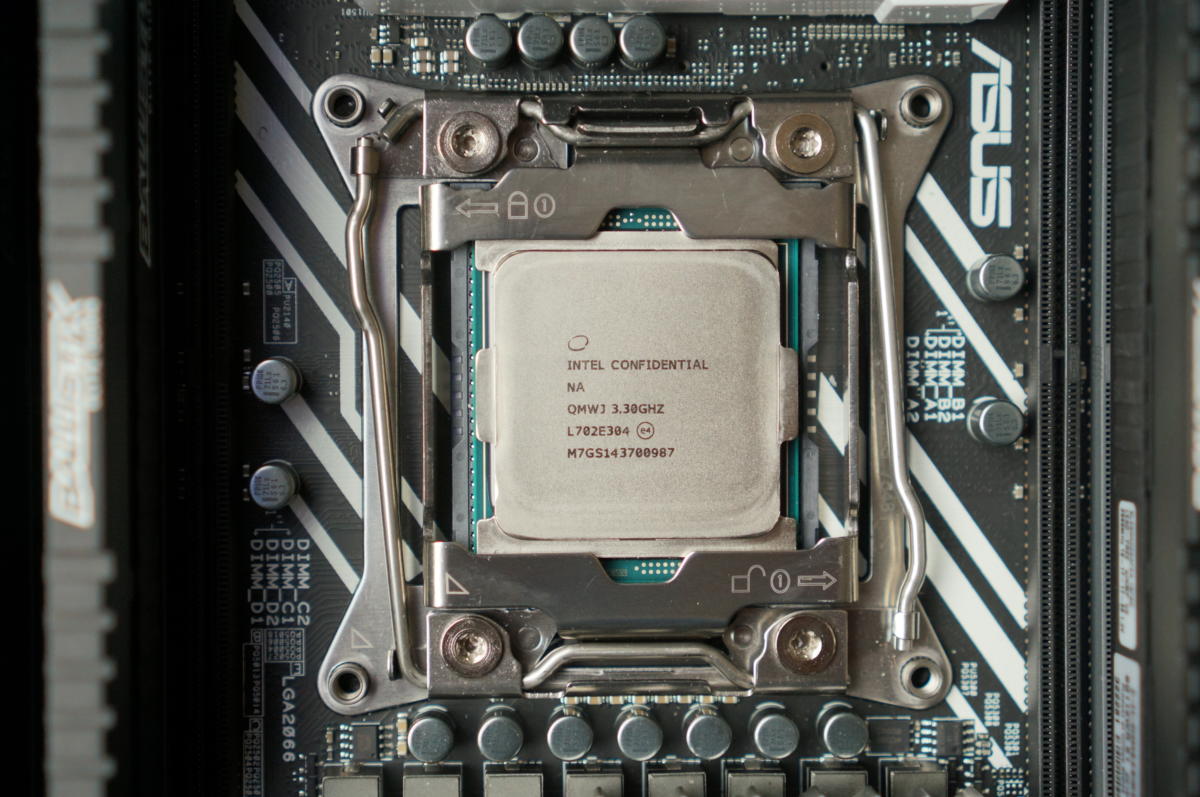
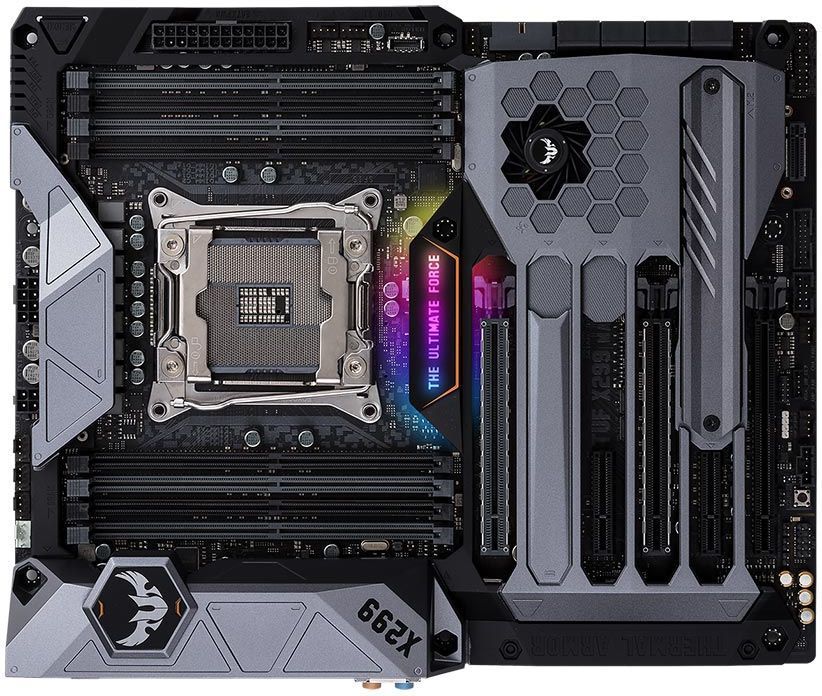
Remember that for now, every Core i9 motherboard you’ll buy is based on the Socket R4, a 2,066-pin LGA socket that’s incompatible with some of the older Core i5 and Core i7 microprocessors. (The Core i5-7640X, Core i7-7740X, Core i7-7800X, and Core i7-7820X all use the new 2,066-pin socket, too.) All of the new motherboards are based on Intel’s X299 chipset, the onlychipset for the Intel Core i9 right now.
Asus
The ASUS TUF motherboard, using Intel’s X299 chipset.
We have some details on the Core i9 motherboards that have been announced, from Asus, MSI, Gigabyte, ASRock, and EVGA. It appears that prices range from $300 to $400 or so. Intel said in August that more than 200 X200 motherboards are sitting on store shelves.
For much of the last decade, Intel dominated high-end PC computing, and rival AMD struggled to keep up. That’s changing. AMD debuted its Ryzen processor to global acclaim, though the company’s performance claimscame under some scrutiny. More recently, the company came out with its own version of the Core i9: Threadripper.
IDG/Gordon Mah Ung
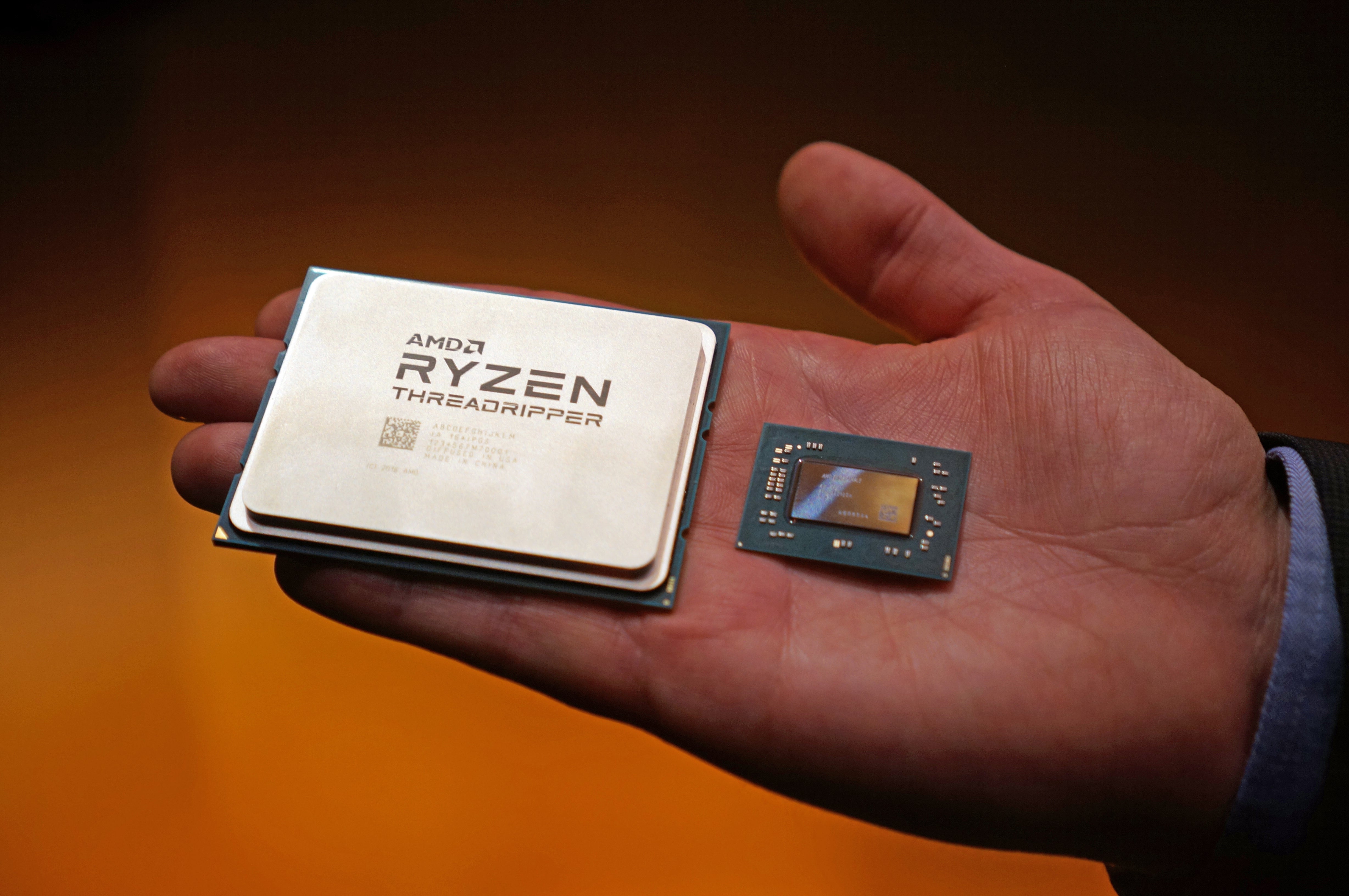
Intel’s Core i9 may be ready for liftoff, but AMD’s Threadripper is waiting to take it down. (An unrelated AMD mobile chip is on the right.)
Right now, Threadripper lags slightly behind Core i9 in core count: 16 cores, 32 threads, compared to the Core i9-7980XL’s 18 cores and 36 threads. AMD’s traditional lever, though, is price. While Intel is asking enthusiasts to pay through the nose for Core i9 chips, AMD’s Threadripper comes at an enormous discount. That’s an enormous consideration when buying a chip like the Core i9: What’s its value proposition, and is it better than the competition?
We’ll keep you updated as more Core i9 news comes out.
Updated on August 7 to include Intel’s latest details on Core i9 clock speeds.
 Given its love of purple, you might think Twitch would be on the side of the evil tentacles. Not so, though—for a limited time you can grab Day of the Tentacle Remastered for free, provided you’re a Twitch Prime (read: Amazon Prime) member.
 Updated 08/07/17: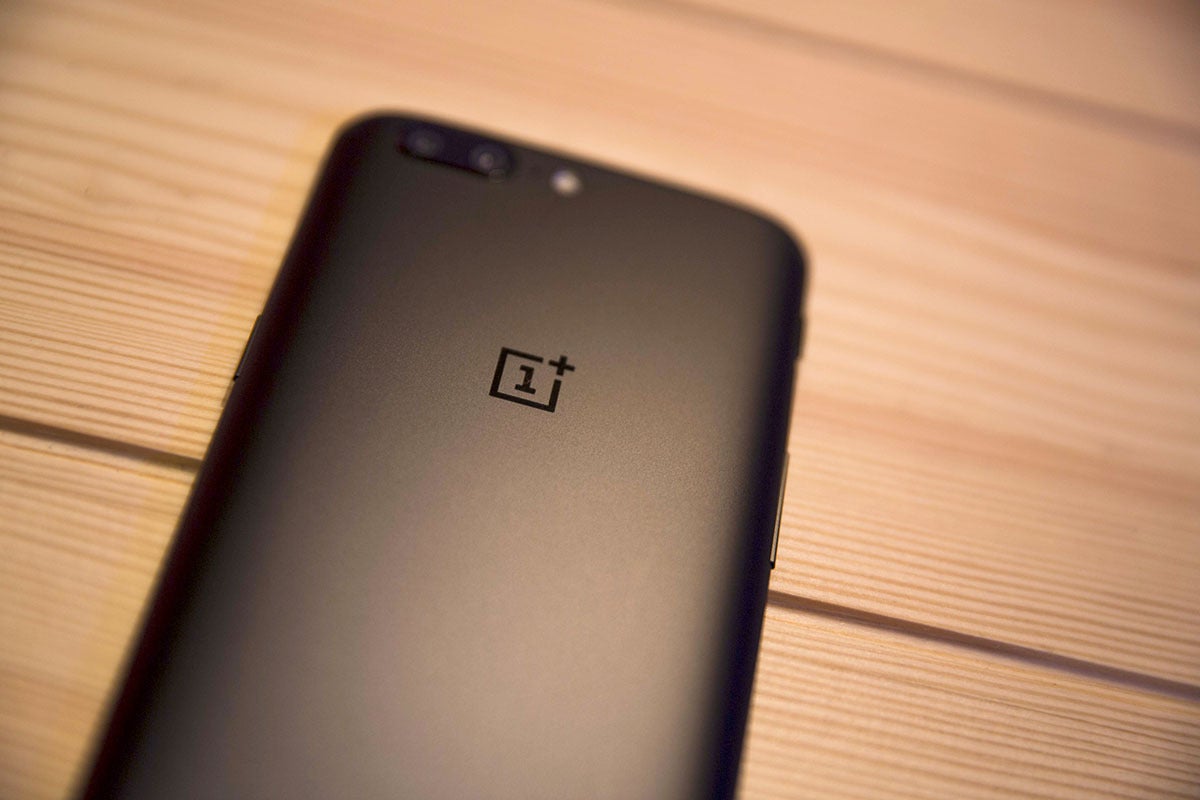
 OnePlus